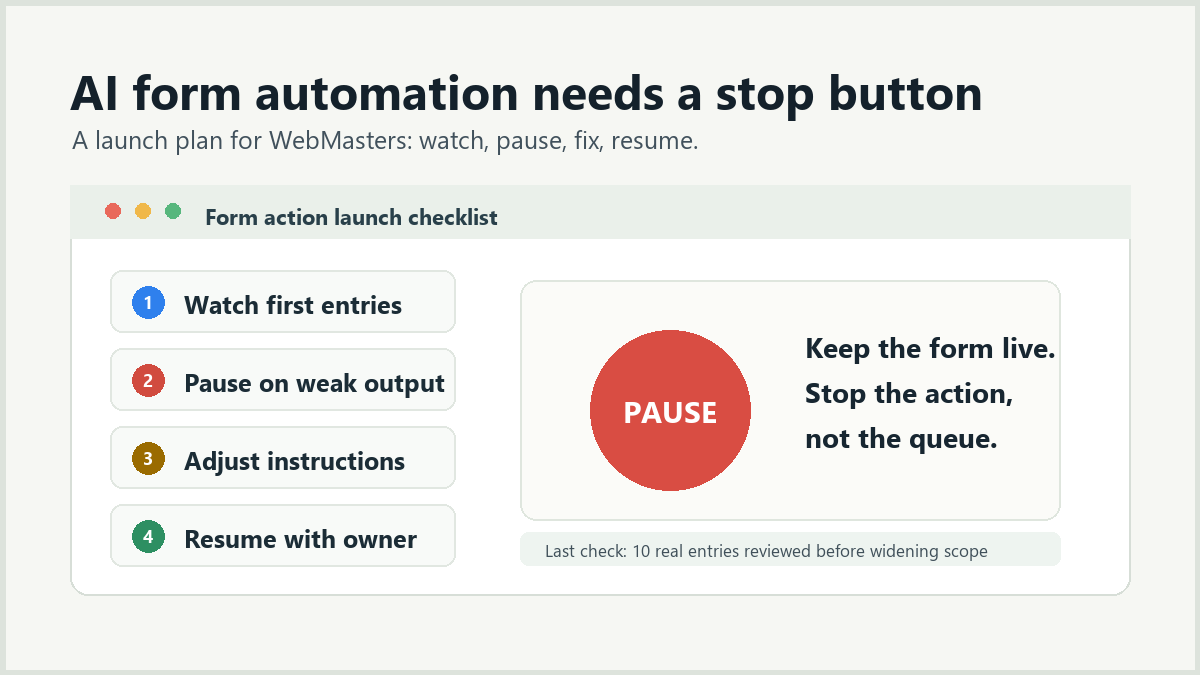
The easiest way to make an AI form action risky is to treat launch as a one-way door. A WebMaster needs a way to pause the action, inspect the result, and resume without taking the form offline.
That sounds cautious, but it is also an ROI move. A stop button keeps a useful pilot from becoming a support ticket. It lets the team test real submissions, correct weak output, and keep the original form workflow stable while the review layer improves.
Define what can be paused
Start by separating the form from the action. The form should keep accepting submissions unless the form itself is broken. The AI action is the part you may pause when the output is confusing, too broad, or not useful to the person who owns the queue.
- Keep the form live so customers can still reach the business.
- Pause only the review action that is producing weak output.
- Record why it was paused so the next edit has a clear target.
- Resume after testing a small set of real or representative entries.
This keeps the promise small: the site is not outsourcing the form process to a model. It is adding a review layer that can be improved without rebuilding the form.
Write the pause rule before the first submission
A pause rule should be specific enough that a staff member can use it without debating the model. Avoid vague rules like “pause if it seems wrong.” Use observable signals.
| Signal | Pause the action when | Next check |
|---|---|---|
| Wrong owner | The recommendation sends a clear request to the wrong person. | Revise routing instructions and test more examples. |
| Unclear reason | The result gives a label without enough evidence. | Require a short reason tied to submitted fields. |
| Overconfident output | The result treats missing details as settled facts. | Add an uncertainty or human-review band. |
| Workflow mismatch | The note is accurate but nobody can act on it. | Change the output format or owner rule. |
The same idea applies whether the site uses local provider credentials or a managed execution path. The operational question is not where the request runs. It is whether staff can trust the result enough to use it.
Give one person launch ownership
Someone should own the first week. That person does not need to be the developer, but they should have enough WordPress access to review the action setup and enough business context to judge bad output. WordPress.org has a useful overview of roles and capabilities when you are deciding who should be allowed to change site settings.
The owner should check the first ten useful entries, not the first ten chronological submissions. Skip test spam and obvious duplicates. Use entries that represent the real queue the team cares about.
A stop button is not a lack of confidence. It is how a WebMaster keeps the pilot honest.
Keep the rollback path boring
A good rollback path is simple enough to use during a busy day. If the action is paused, staff should still know where to find new submissions, who owns them, and what temporary manual step replaces the automated review.
- Name the manual fallback: read the entry, assign an owner, and leave the normal note.
- Keep the old notification path until the AI output has been checked.
- Do not remove useful form fields during the same launch window.
- Do not widen the action to more forms while the first form is still being corrected.
If you are choosing the first action, pair this plan with the guide to pick the first WordPress form automation by bottleneck. If the workflow is sensitive or unclear, the safer companion is when not to automate WordPress form review.
Use support boundaries as launch notes, not sales copy
Exact behavior depends on the current form source, action, and site setup. The public Sentient Forms action library and WordPress.org plugin listing are the right places to verify the current support boundary before promising where results will appear.
For client-facing language, keep the promise operational: important submissions get a clearer review path, and the team can stop the action if the output is not helping. That is easier to defend than a broad claim that every form behavior is automated.
A launch checklist for the first week
- Choose one form and one action.
- Write the pause rule before launch.
- Assign one owner for the first week.
- Review the first ten useful entries.
- Adjust the instructions once, then test again.
- Expand only after the owner can explain why the output is useful.
That routine keeps the launch practical. It protects the existing form, gives the team a way to correct weak output, and turns AI review into an operating habit instead of a one-time configuration change.
Frequently asked questions
Usually no. Keep the form accepting submissions and pause the review action while you fix the instructions or output format.
Wrong ownership, unclear reasons, overconfident answers, or output that staff cannot use are good pause triggers.
Resume after the owner checks corrected output against a small set of real or representative entries.